Add a return policy message to the web when students are paying for online class registration.
Set Up your Shopping Cart Web Page
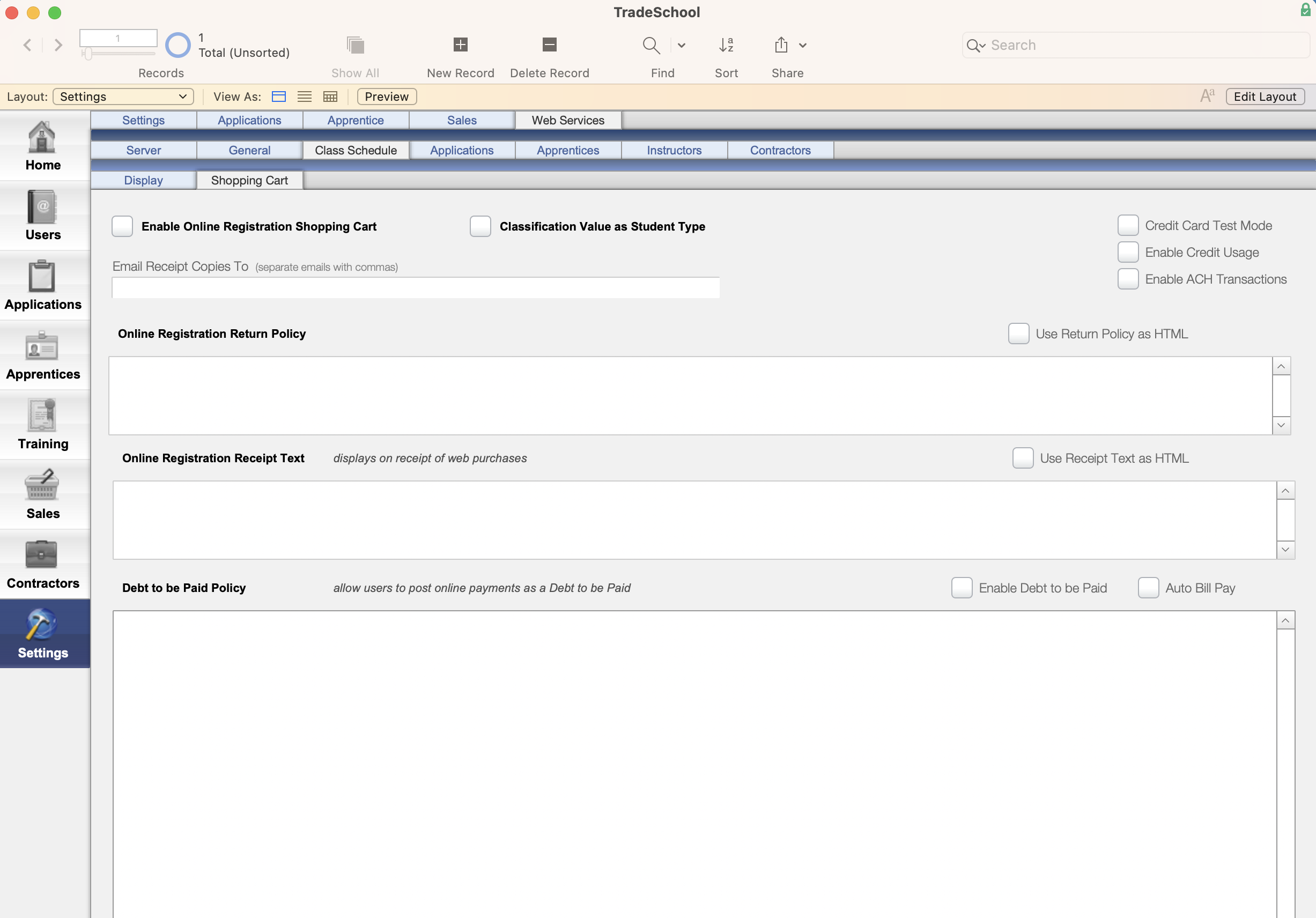
To start, click on the Setting Module. Next, go to the Web Services > Class Schedule> Shopping Carttab.
To enable an Online Registration Shopping Cart click the check box.
If the Classification Value as Student Type box is checked the student type will set their Student Type according to whatever their Classification is in their User record. That can be useful if they are already classified as Apprentice/Journeyman in their User, it will set their Student Type accordingly.
NEW
If your office would like to get sent an email receipt enter in the email(s) in the email field. If you would like more than one email sperate the emails with a comma.
Adding a Return Policy Message to Your Purchase Page
To display a return policy message on the web during the purchase process, simply enter your desired message in the Online Registration Return Policy text field. If you wish to include special HTML formatting, please check the designated box or contact the TradeSchool team for further assistance.
Sample Return Policy Message:
The Far West Electrical Training Center (FarWest JATC) has a "No-Refund" policy. We may issue an In-House Credit that may be used towards attending future classes. If a student pays for class and fails to attend, we may honor the In-House credit.
The Far West Electrical Training Center (FarWest JATC) does not issues checks, credit bank accounts or refund moneys from electronic purchases. All sales are final.
Adding a Receipt for Web Purchases
To display a receipt that will display after web purches you can enter your desired message in the Online Registration Receipt Text field.
Sample Registration Receipt Text:
Please print this receipt for proof of your purchase. You can call Far West Electrical Training Center at (000) 000-0000 if you have questions about your order. (Please wait two hours after submitting your order for processing.)
Debt to be Paid Policy
Debt to Be Paid Policy - if you check the “Enable as Debt to be Paid” checkbox, this allows you to let students be billed for a class instead of paying on the spot in order to register. So when they checkout, whatever the cost of class is will be billed to them as a Bill Pay that they can then pay later. If you choose to use this for a class, then they’ll have to agree to whatever text you put in the Debt to Be Paid Policy in order to continue. Think of it as the same things as a payment policy, but only applies when they’re allowed to be billed and pay later instead of pay in full on the spot in order to register
Comments
0 comments
Please sign in to leave a comment.